SnapCanvas is desktop screenshot software for Windows, macOS, and Linux. Capture with hotkeys and delay, style framed shots, redact IBANs and emails, extract text with offline OCR, then copy, save, or upload - including a fully local mode.
Includes a 30-day free trial. Then buy lifetime keys - one key per device, no subscription.
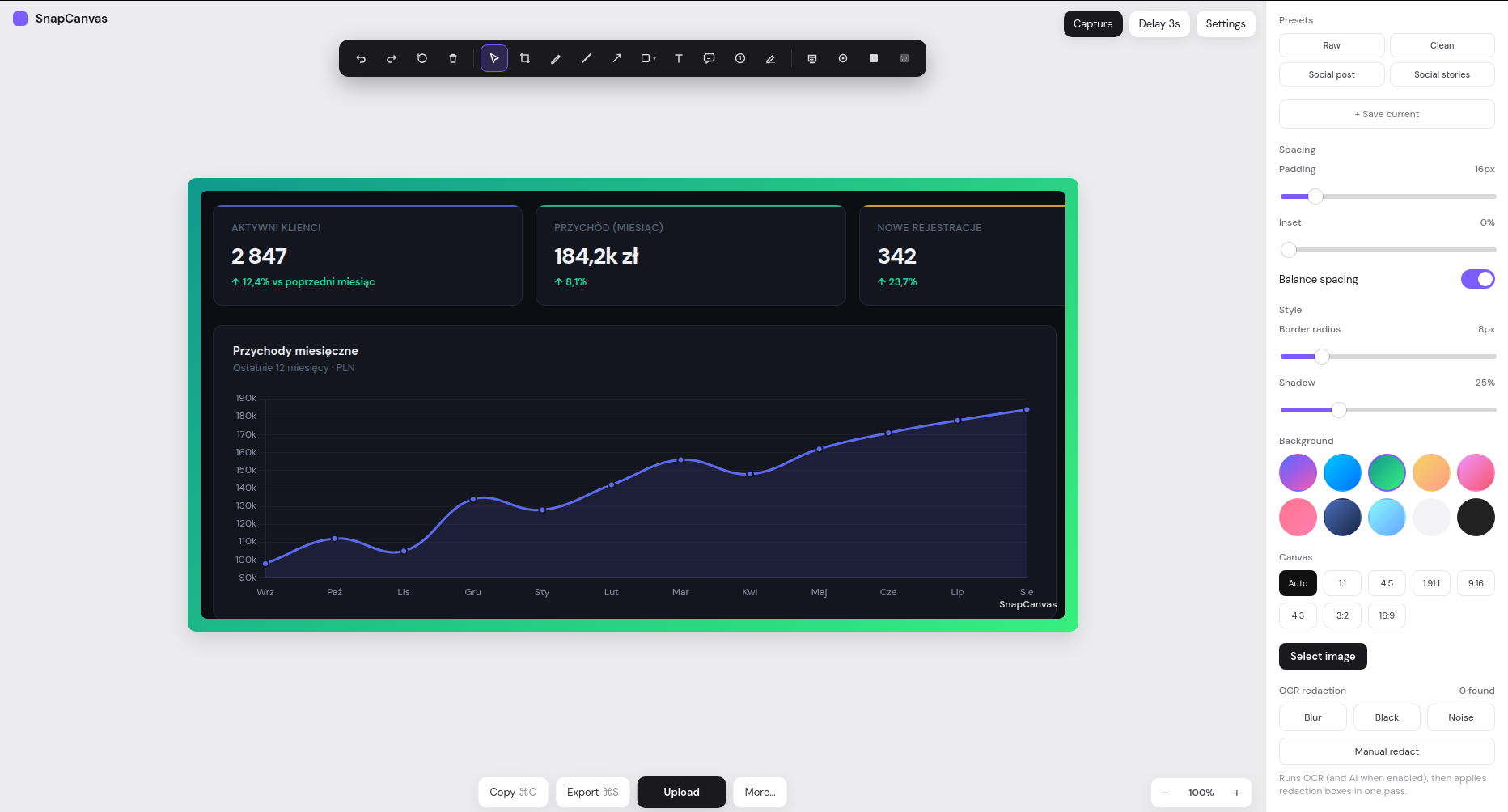
Interactive region select, one-click full screen, and multi-monitor stitching. Use Print Screen or tray Capture without opening the main window. Delay 0–10 seconds so tooltips and menus stay visible.
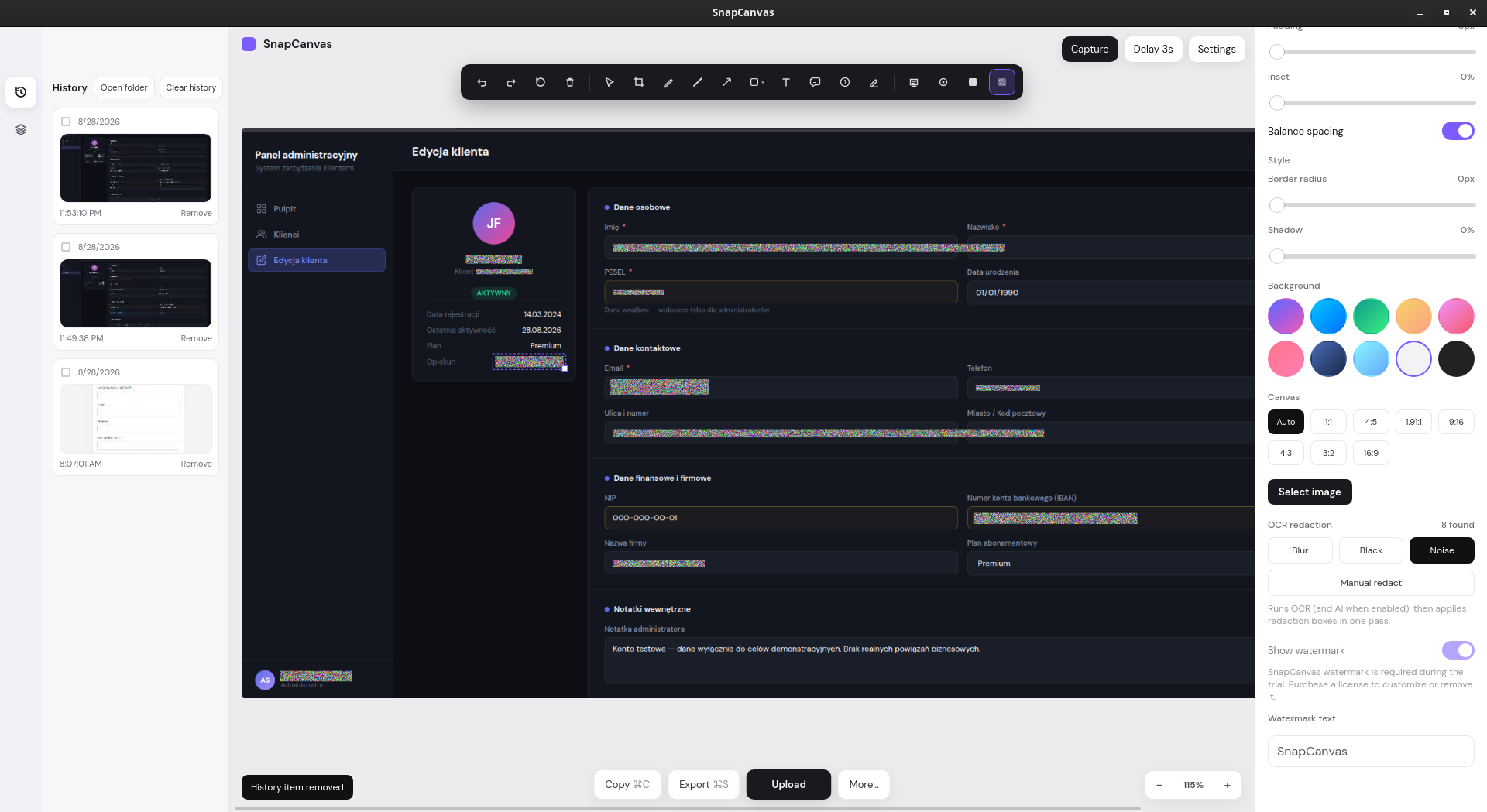
Your team shares screenshots every day: support tickets, Slack threads, invoices, CRM panels. One unredacted image can expose a client's email, IBAN, tax ID, national ID, or account number - and that everyday habit is how GDPR incidents start. SnapCanvas detects sensitive data automatically and masks it before the file leaves the desktop.
Can you tell the difference?
Move the slider to compare the original CRM screen with Blur, Noise, or Black redaction - same sensitive fields, three ways to hide them.
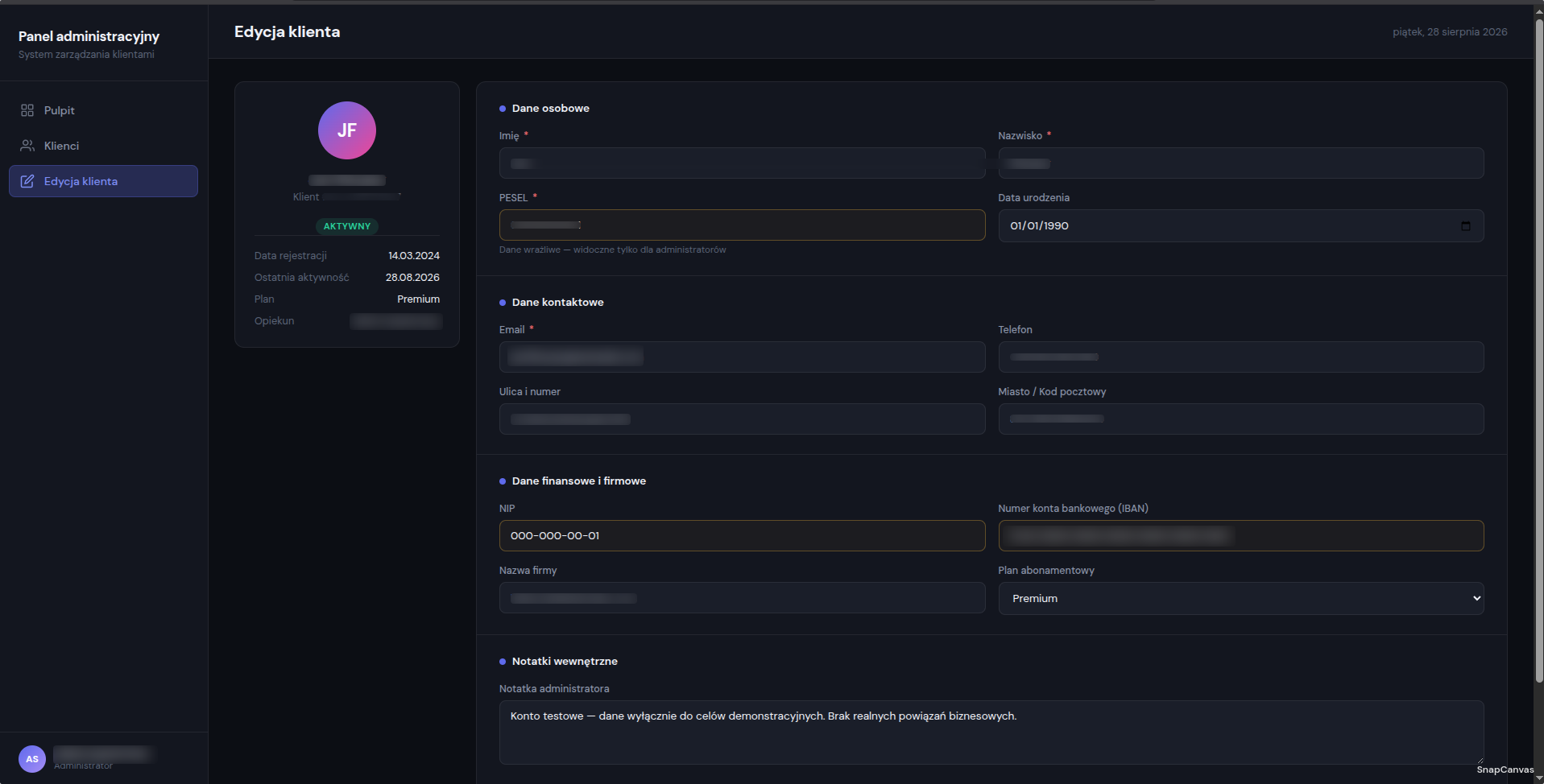
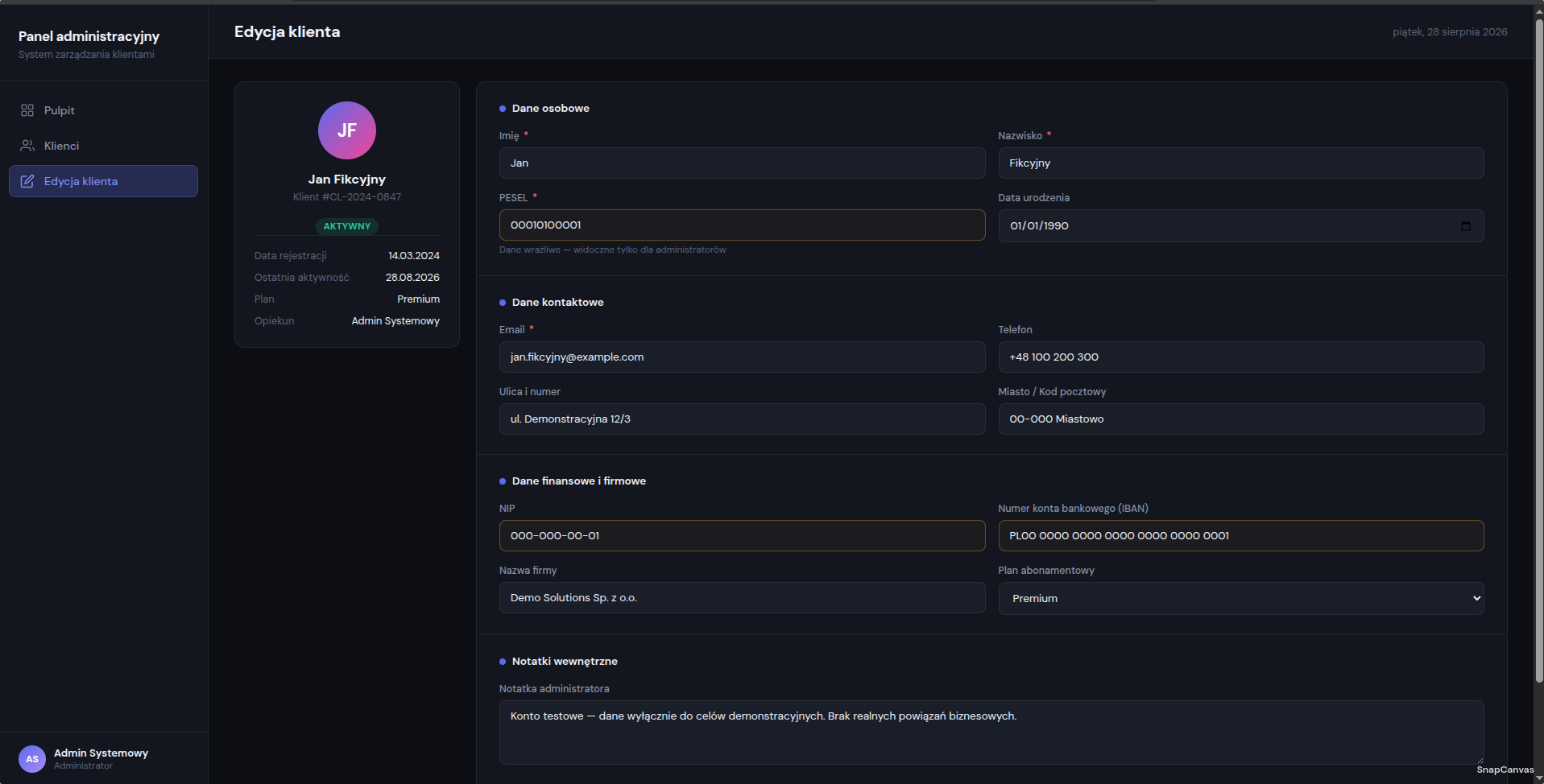
Drag the handle to compare. Switch Blur, Noise, or Black above - emails, phone numbers, IBANs, tax IDs, national IDs, and addresses stay hidden.
Developers, support agents, accountants, and project managers all capture screens to move work forward. None of them set out to break GDPR - but a raw screenshot in a group chat, ticket, or email can leak names, account numbers, and identifiers in seconds. Give every person who shares images the same protection you would want on your own screen.
A quick paste from the clipboard is the fastest way to expose a client's personal data - often without anyone noticing.
Ticket screenshots routinely show emails, phone numbers, and account details that were never meant to leave your systems.
One careless share can erode client trust and trigger compliance reviews. Prevention is cheaper than cleanup.
Buy SnapCanvas for the people who share screenshots on your behalf.
One lifetime key per device. Roll it out to support, finance, QA, and anyone who sends client-facing captures - so privacy is built into the habit, not bolted on after a mistake.
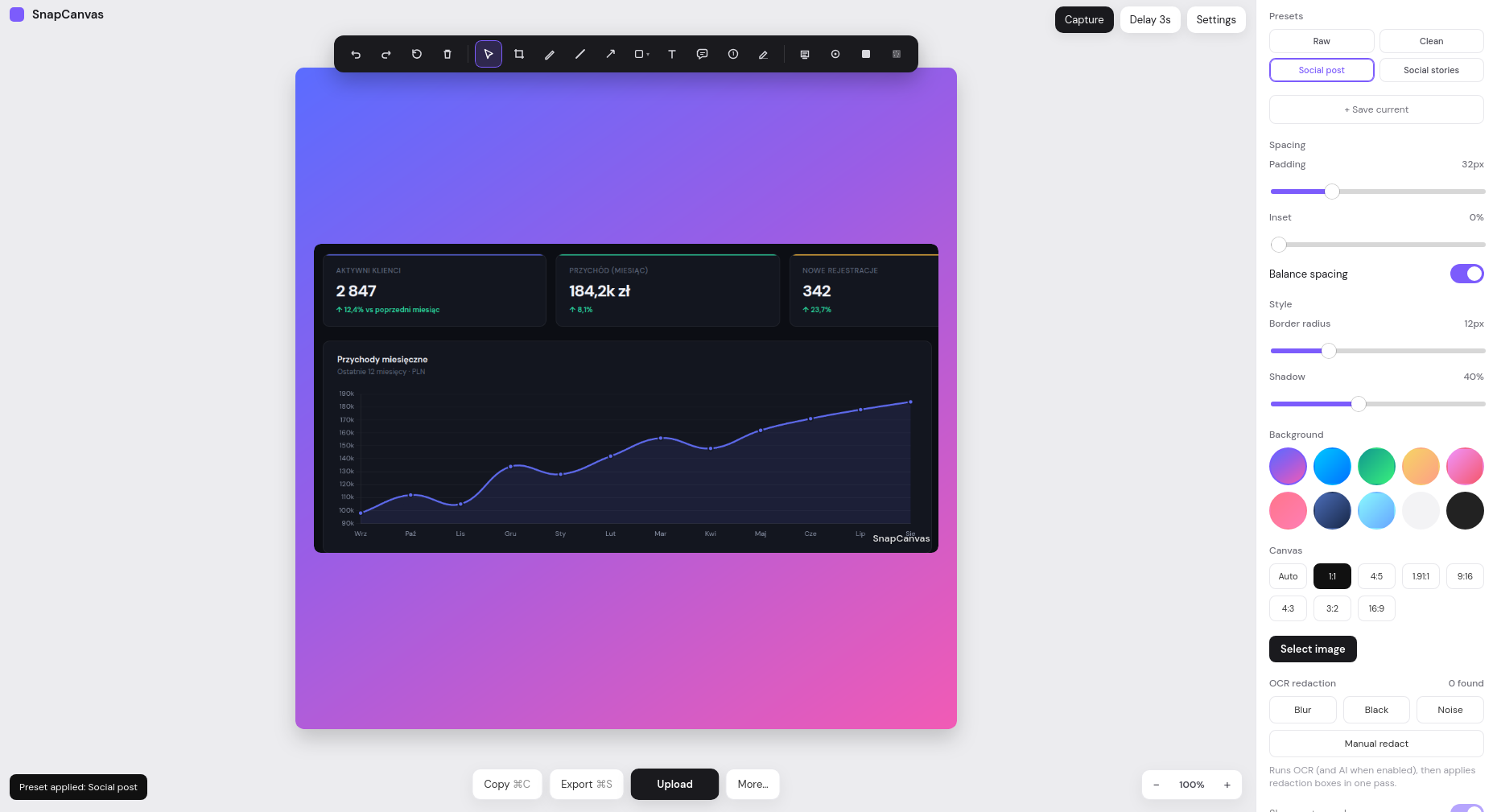
Presets for Raw, Clean, Social post, and Stories - plus your own templates. Control padding, inset, corner radius, shadow, gradients, aspect ratios, and optional text or logo watermarks.
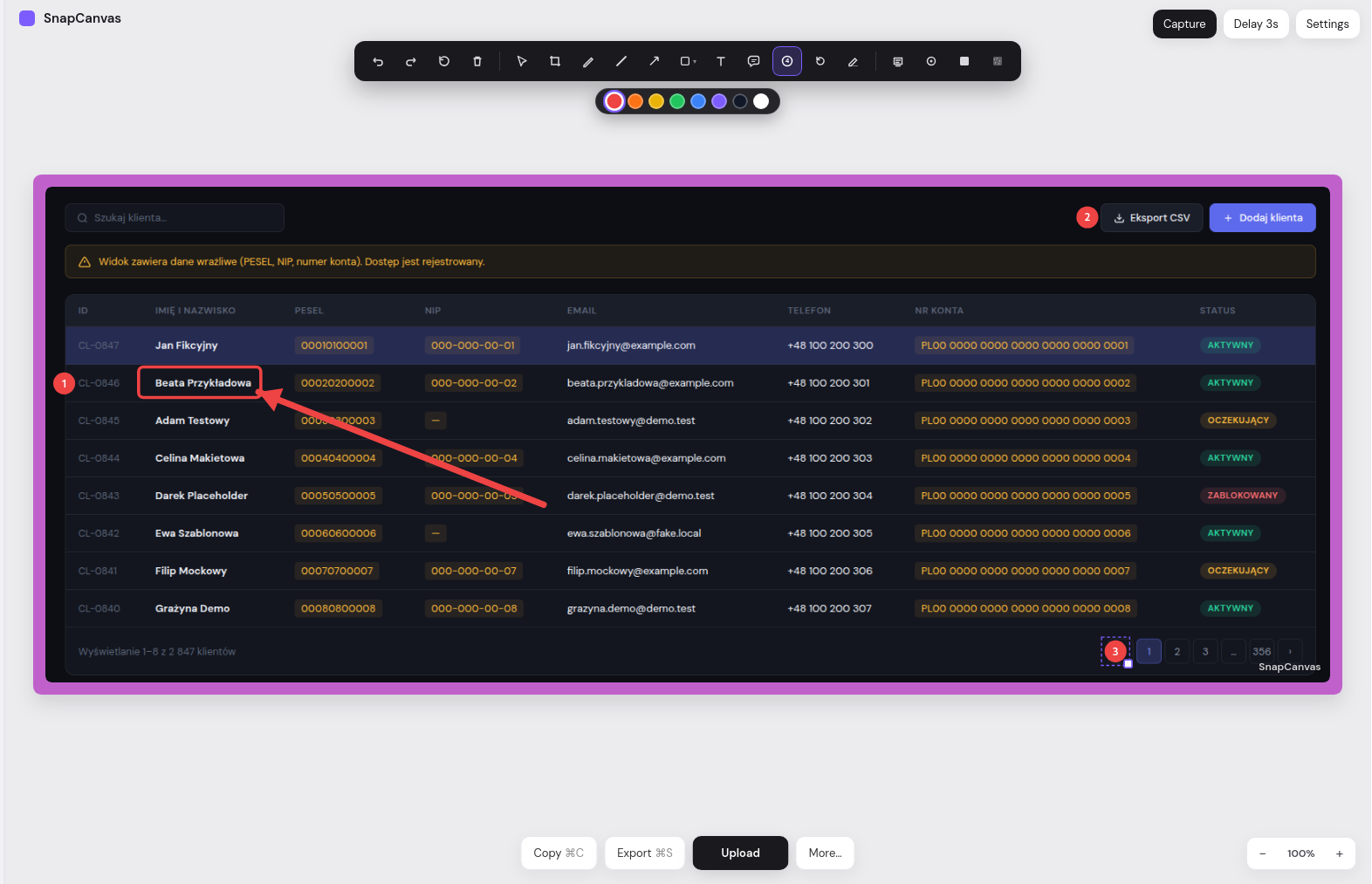
Pen, line, arrow, shapes, text, callouts, numbered steps, and highlight. Crop with handles, manage layers, undo and redo - everything you need for bug reports, tutorials, and reviews.
Select & crop
Pen & shapes
Arrows & lines
Numbered steps
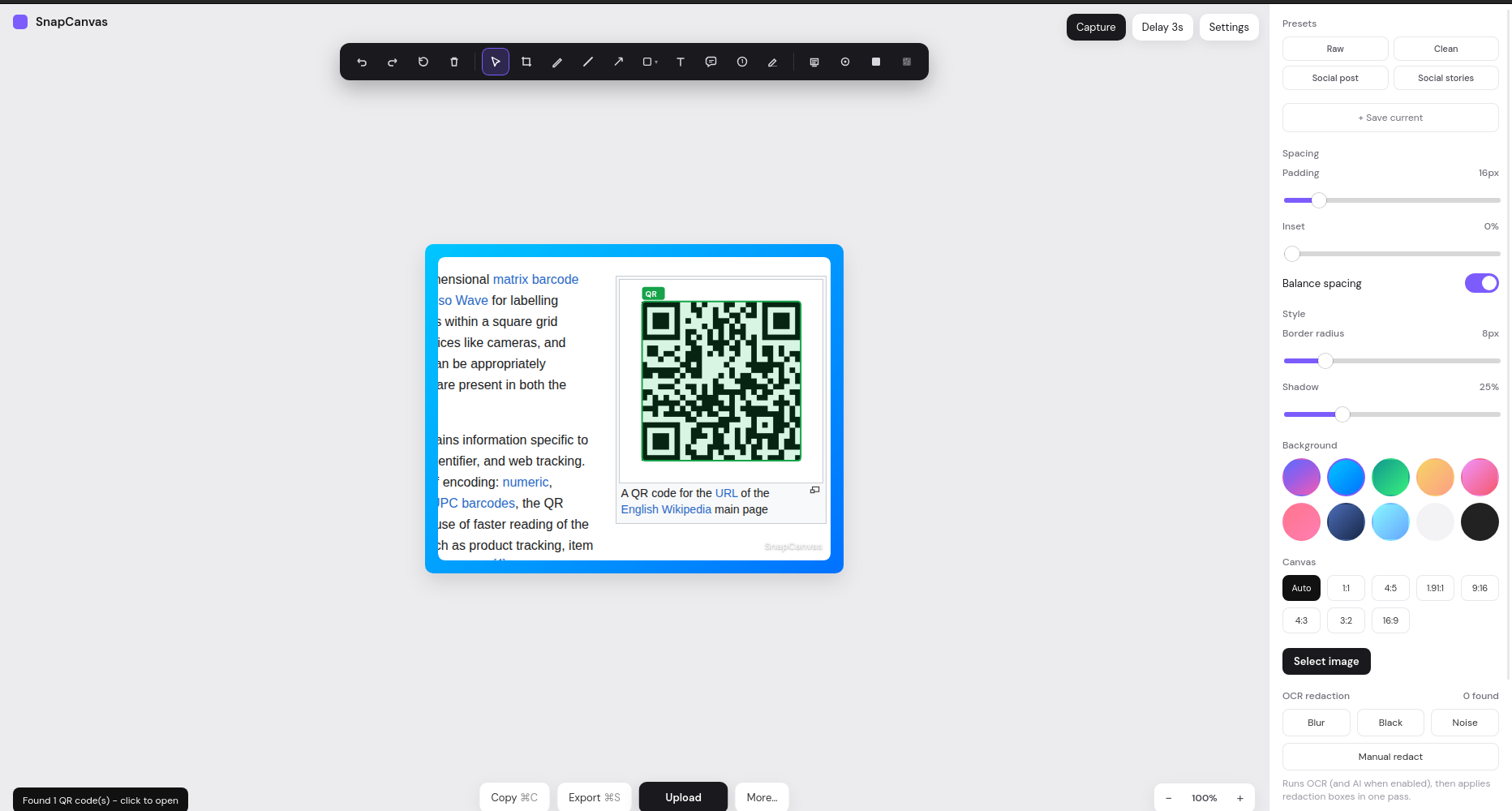
When a capture contains a QR code, SnapCanvas finds it automatically. Click to open the URL or copy the content - no phone camera needed. Optionally send a selected region to Google Lens for visual search (with a privacy warning; hidden in local-only mode).
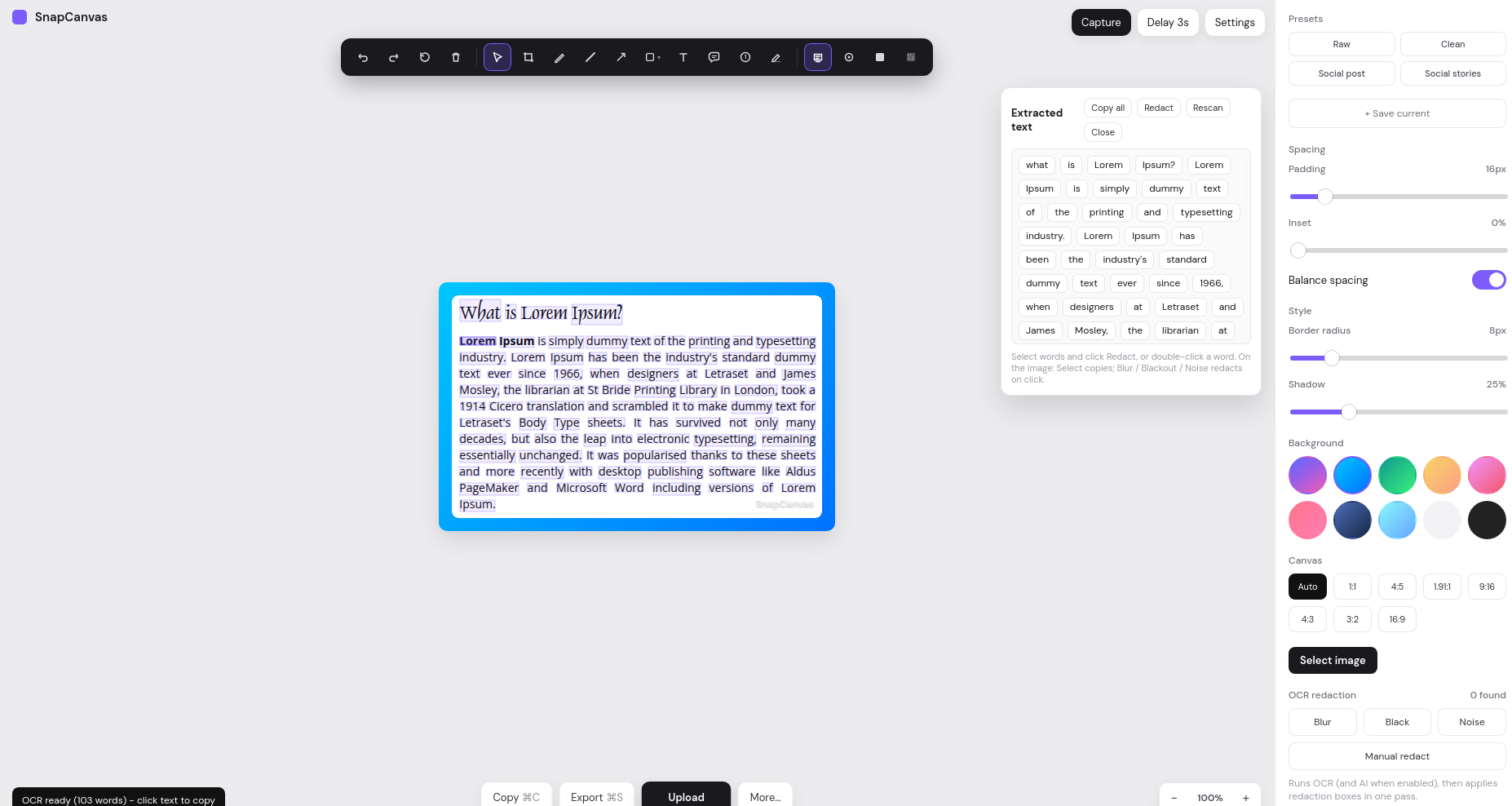
Run OCR on the whole image, copy words with a click, or select a range. Redact selected text in one step. Offline languages include English, Polish, German, French, Spanish, and Italian - with optional auto-OCR after capture.
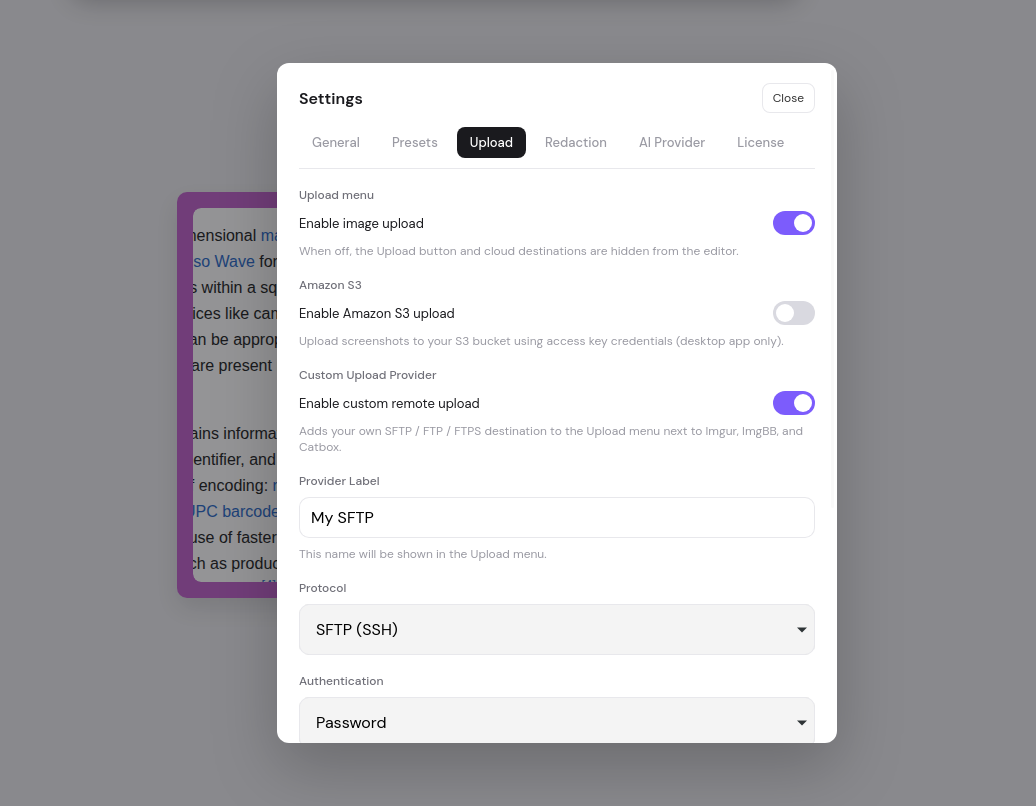
Copy the full composition to the clipboard, export PNG with custom filenames, or print. Upload to your own FTP/SFTP server or Amazon S3 - or to image hosting services when you need a quick public link. Prefer maximum privacy? Enable local-only mode to turn off network traffic from the app - no uploads, no cloud AI.
Copy framed shots with layers, save PNG, or print from the system dialog.
Upload to your own FTP/SFTP or Amazon S3 - or to image hosting services. The link is copied when you need it.
Optional kill-switch for network use: no uploads, no cloud AI - OCR stays on-device. Optional ephemeral clipboard that clears after 60 seconds.
Everything teams need from screenshot software
Catch tooltips and menus with a configurable 0–10s countdown (default 3s).
Keep up to 50 recent shots in Pictures/SnapCanvas - open the folder, clear, or delete.
Use a cloud AI provider (data is sent to that provider) or a local model. Built-in OCR and rule-based redaction stay on your device by default.
Print Screen, tray Capture, clipboard copy, save, and undo - without hunting menus.
Turn detectors on or off and add your own AI prompts - e.g. hide company names or amounts.
One product across desktops. Lifetime key per device - pay once, use for life.
Try free. Buy once per device.
Start with a 30-day trial on one machine. When it fits your workflow, buy lifetime keys - one key activates one device. Need more machines or teammates? Buy additional keys.
Full features for 30 days on one device.
One trial per machine
One key · one device · perpetual access
per device